

How to Handle Large ZIP Exports Reliably
Best practices for large IMGLoader downloads, including batching, choosing a save location, and watching zipping plus download progress.
Tested against the current IMGLoader workflow and provider UI available as of April 18, 2026. Where platform rules or API limits affect results, this guide calls them out explicitly.
Large exports fail less often when you treat them like a workflow instead of a single button press. The biggest avoidable mistakes are usually trying to move too much at once, not watching the early part of the job, or organizing the batches so poorly that you cannot tell what succeeded.
This guide is about reliability, not maximum ambition. The goal is to get the content out cleanly and verifiably, even if that means multiple ZIPs.
What happens during a large export
- Decide whether the export should be split by board, album, gallery, or time period.
- Name the ZIP so the batch is obvious later.
- Leave folder grouping enabled when it helps the extracted result stay readable.
- For large in-page downloads, choose the save location when the browser prompts you.
- Keep the tab open while IMGLoader zips the files and then streams the finished ZIP to that location.
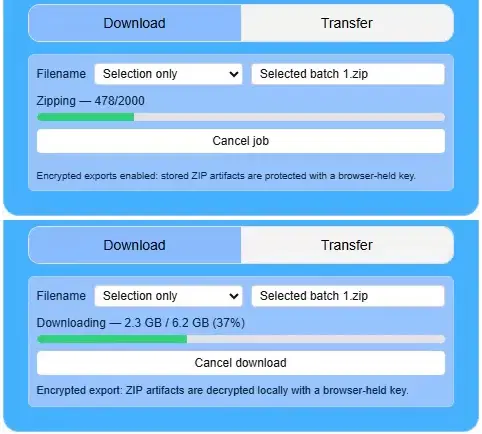
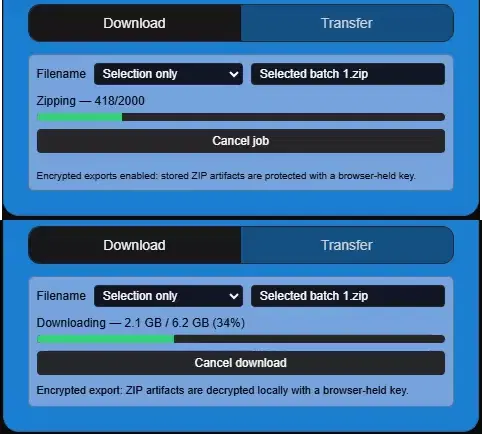
The visible progress may move through two separate stages. First, IMGLoader prepares the ZIP. Then, for large Google Photos downloads that use the in-page save flow, IMGLoader shows download progress as the completed ZIP is written to the file you chose.
How to finish the job cleanly
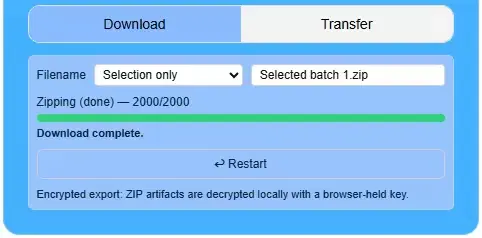
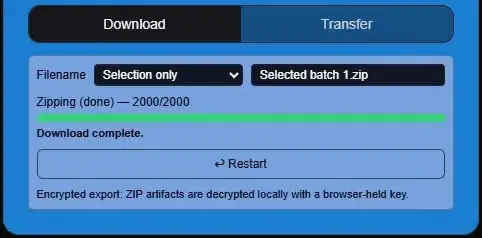
Wait for the final completed state before you close the tab or start reorganizing the source workflow. For the large-file save flow, "done zipping" is not the whole process; the ZIP still needs to finish downloading to the selected location.
For Google Photos, picker selection is already a batch-based workflow. Large projects should expect multiple selection rounds, and now multiple completed picker batches can be selected together for a single ZIP when that is the cleaner export plan.
Reliability rules that consistently help
- Prefer several clear exports over one oversized "everything" batch.
- Use meaningful ZIP names so reruns are obvious and older backups stay understandable.
- When prompted, choose a save location before assuming the export has started.
- Watch for both phases on large in-page downloads: zipping first, downloading second.
- Verify a completed export before you delete, move, or archive the source workflow notes.
- When a batch has a few failures, correct and rerun only that batch instead of rebuilding the whole export plan.
A practical mindset for large jobs
The safest large export is rarely the absolute smallest number of ZIPs. It is the plan that lets you confirm success, isolate problems fast, and avoid repeating hours of work because one giant batch had a few preventable issues.