

How to Download Video Pins from Secret Pinterest Boards
Understand the Pinterest API limitation around secret boards and how to safely export video pins with IMGLoader.
Tested against the current IMGLoader workflow and provider UI available as of March 29, 2026. Where platform rules or API limits affect results, this guide calls them out explicitly.
This is one of the easiest Pinterest export issues to misread as an app bug: the board loads, the images may load, but the video pins do not show a usable downloadable video URL. In practice, that is usually a Pinterest API limitation tied to secret boards.
If the board is still marked Keep this board secret, the most reliable fix is to make it non-secret briefly, reload IMGLoader, run the export, and then switch the privacy setting back if you want.
What the problem usually looks like
IMGLoader can warn that Pinterest videos cannot be loaded while the board remains secret. This is not about your browser blocking media. It is about Pinterest not returning a stable playable video URL for that board state.
That means reloading the page or reconnecting the account usually does not help until the board privacy setting changes.
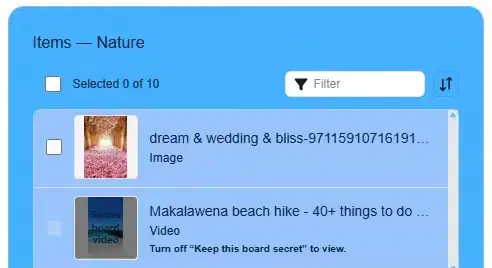
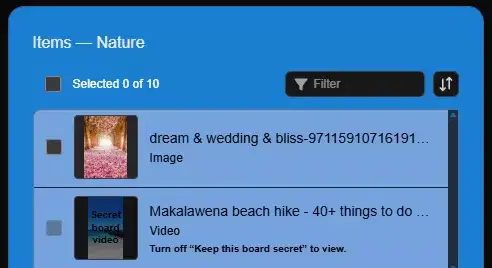
The reliable workaround
- Open the board in Pinterest and go to its settings.
- Turn off Keep this board secret.
- Return to IMGLoader and reload the board or refresh the app.
- Select the video pins you need and start the export.
- After the download finishes, turn the board secret again if that is how you normally keep it.
If you are exporting the whole board, board-level ZIP export is fine. If you only need a few video pins, open the board and select those items directly first.
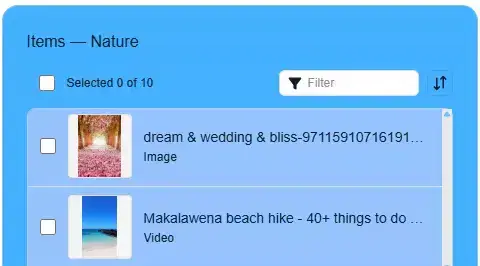
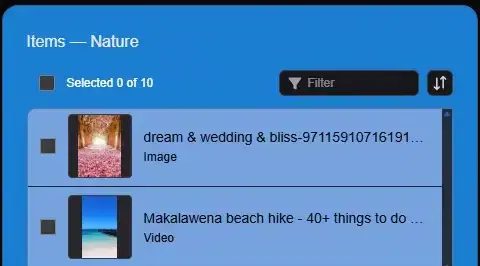
What this limitation does not affect
- It does not mean your Pinterest connection is broken.
- It does not mean all secret-board items fail. Image availability and video availability can behave differently.
- It does not mean the export workflow is unsafe. It is a provider-side content access limitation.
Best time to use this guide
Use this workflow when you already know the board contains video pins and those videos are the specific items missing. If the whole board fails to load, troubleshoot the account connection first instead of only the board privacy setting.