

How IMGLoader Names Files and Organizes Folders
Understand IMGLoader ZIP naming, optional folder grouping, and how provider download menus organize selected exports.
Tested against the current IMGLoader workflow and provider UI available as of April 18, 2026. Where platform rules or API limits affect results, this guide calls them out explicitly.
The quality of a backup is not just about whether the bytes arrived. It is also about whether the resulting ZIP is understandable when you extract it weeks later. That is where folder grouping, ZIP naming, provider labels, and duplicate filename handling matter.
IMGLoader already does a fair amount of cleanup for you, but the best results still come from choosing the right grouping option for the job.
What IMGLoader names automatically
The ZIP filename is editable, but IMGLoader still normalizes it so the export keeps a valid .zip extension and unsafe path characters do not leak into the archive.
At the item level, filenames are derived from provider metadata where possible and then cleaned up so the ZIP entries remain safe. If two items would collide on the same filename, IMGLoader appends a numeric suffix such as -2 rather than silently overwriting one.
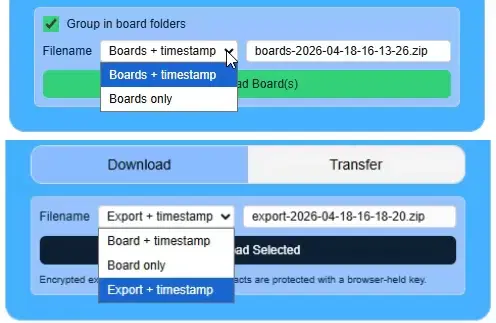
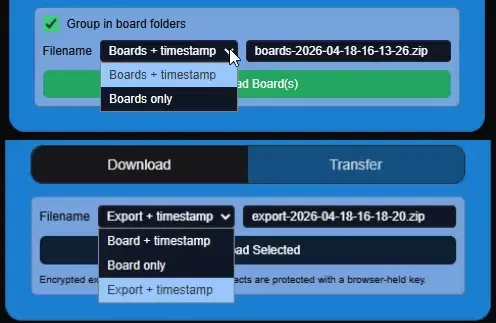
When to enable folder grouping
Folder grouping is a choice, not a single fixed ZIP structure. For Pinterest, downloading multiple boards from the left panel can keep each board in its own folder, while downloading inside one board can either keep that board folder or produce a flatter item set. Turning grouping off flattens the selected files into the ZIP root with duplicate-safe filenames.
DeviantArt follows the same pattern for galleries and collections. Google Photos Picker batches can also be downloaded together; when batch grouping is enabled, each selected picker session gets its own batch folder, and when it is disabled, the selected files are flattened into one ZIP.
What to expect across providers
- Pinterest board exports can be grouped into board folders.
- Single-board pin exports can optionally stay inside one board folder as well.
- DeviantArt multi-collection exports can be grouped into gallery or collection folders.
- Google Photos multi-batch exports can be grouped into picker-batch folders or flattened into one ZIP.
Simple rule for cleaner backups
Name the ZIP after the real unit of work and keep folder grouping enabled when you want the extracted files to answer "where did this come from?" at a glance. That one habit makes future restores and migrations much easier.